The 14-inch MacBook Pro with an M1 Pro chip was first announced by Apple in October 2021, following on from the 13-inch MacBook Pro with the original M1 chip which was released in 2020.
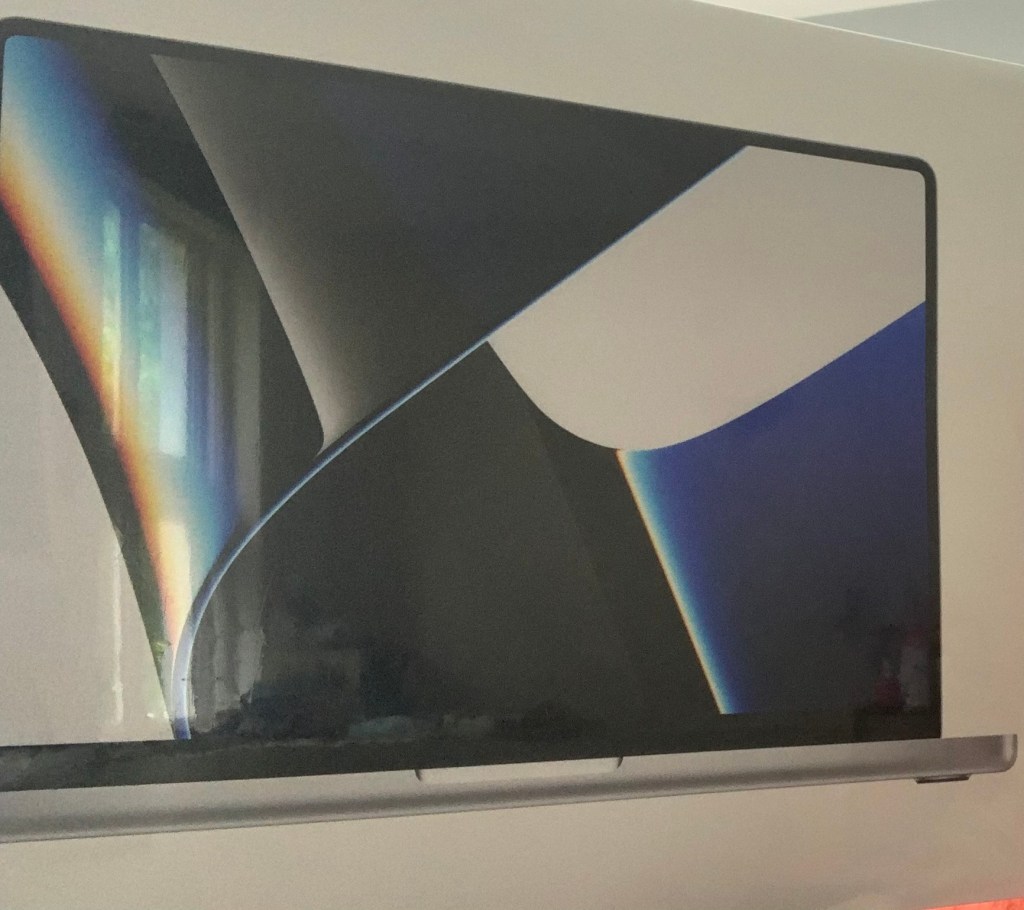
It comes in a white box with the laptop itself on the cover, along with information about the product on the back. Going round to the side, you’ll find the usual Apple logo.
Inside, you get the MacBook Pro you’ve chosen, as well as some information explaining how to set the device up, two Apple stickers and the charger.
Something that makes this MacBook different compared to earlier Intel models is the fact that it comes with a 14.2-inch Liquid Retina XDR display, with native resolution up to 254 pixels.
It also comes with 16GB of Memory, as well as 512GB SSD (in the basic model), a Touch ID sensor which you can use to turn the computer on, three Thunderbolt 4 ports and a 1080p FaceTime HD camera. However, the unified memory can be upgraded to 32GB (though it will cost more), and you can also buy models with a 1TB, 2TB, 4TB or 8TB SSD.
The version I have is the 1TB model.
What are your thoughts on it overall?
If I tried to share a 7 minute video project on my old 15-inch mid 2015 Intel MacBook Pro, it would have taken at least half an hour to share or close to an hour. However, on this 14-inch MacBook Pro with the M1 Pro Chip, it only takes 5 minutes to share a 30 minute project, which is absolutely mind-blowing! This change in share time is highly impressive for someone who was used to working primarily on an older Mac model, and if I was to choose which feature about this 2021 Mac is my favourite, the share time is definitely one of them.
But something else that is really impressive when it comes to this Mac is the improvement in graphics.
Whether you’re watching films or playing games, colours will pop out at you, and even the darkest scenes will reflect brightly! However, bright scenes will also seem a lot brighter, and this will be something people may want to turn their brightness settings down for, depending on how bright you would prefer your screen to be.
You’ll also have the opportunity to set your Accessibility settings up when you’re setting your Mac up, which is a feature that is now included on all Mac computers.
So is it worth buying the M1 Pro MacBook Pro in 2024 and is it accessible enough if you’re a disabled user?
Well the fact that you can choose your accessibility settings as you’re setting your laptop up is one of the things that makes this Mac disability friendly, proving yet again that accessibility is something that is being considered first and foremost when it comes to technology, since the options come up without requiring disabled users to search for the settings, so no time is wasted.
The definition of colours on the screen also add a nice feature, so you won’t struggle to see anything that is on the screen, though there are other Accessibility settings as well that will help give descriptions of what’s on the screen to you if you are blind or have any other visionary problems, and similar settings exist for users who are deaf.
However, the main feature that I believe sells this Mac is when it comes to sharing content or projects, because depending on what kind of Hard Drive you have, your projects will share extremely quickly.
With all this considered, I would rate the 14-inch 2021 MacBook Pro with an M1 Pro Chip 10 stars.
You can also get the same brand of computer with the same chip in 16 inches, but that will of course cost more money.

 Phoebs Lyle Tech Reviews