In this blog, I will summarise everything that they announced.
The M3 Family of Chips
Apple first started producing its M-series of processors in 2020, and on the 30th of October, they introduced 3 new ones.
These include the new M3 Chip, the M3 Pro Chip and the M3 Max Chip, which — like their predecessors — are just slightly bigger and faster, but there are a few other key differences as well.
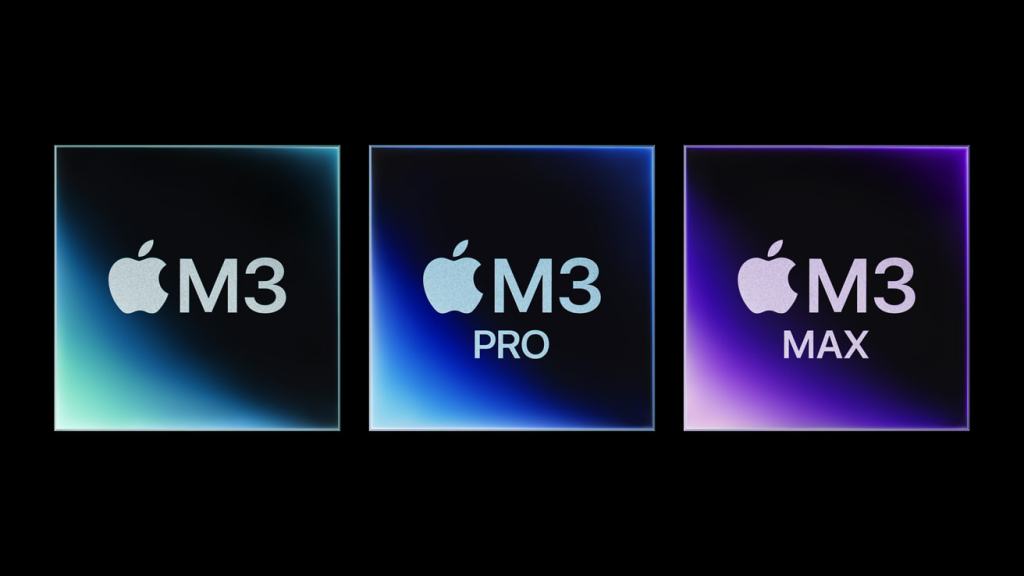
All three of these new chips are built on a 3-nanometer process, marking them apart from their earlier predecessors (the M1 family of chips and M2 family of chips) which were both built on 5-nanometer process technology. This means that the transistors in the chip have been packed into a smaller space, which enhances both the speed and power efficiency of the chip.
But the M3 Chips also get a few new features as well, such as a new feature which Apple calls Dynamic Caching. This enables the processor to allocate memory for each task dynamically, dialling the allocation up or down as needed instead of cordoning off a set number of memory for the task to use.
You’ll also get to experience better ray tracing and mesh tracing when using graphics intensive games and apps. However, game developers will be able to utilise ray tracing to more accurately illustrate lighting elements such as reflections and shadows. The hardware-accelerated mesh shading will also help to visually elaborate scenes within games so that games will appear smoother and won’t include any skips.
So how are all of the chips different?
According to Apple, the M3 lineup offers breathtaking speed improvements when it comes to graphics rendering, core CPU function and machine intelligent tasks, compared to earlier chips, but some might have different opinions on this than others.
As far as the different specs they offer go, however, there are some differences that might make some models more appealing for certain users.
The entry-level M3 chip offers:
- An 8-core CPU
- Up to 10-core GPU
- 24GB Unified Memory
The M3 Pro chip offers:
- 12-core CPU
- 18-core GPU
- 36GB Unified Memory
The M3 Max chip offers:
- 16-core CPU
- 40-core GPU
- 128GB Unified Memory
M3 MacBook Pro (14-inch / 16-inch)
Like the M1 family of MacBooks and M2 family, you have the option to configure the 14-inch MacBook Pro with an M3 chip, so you have the ability to pair a base-level chip with a pro-level chassis. According to Apple, this configuration is up to 60% faster than the M1 13-inch MacBook Pro, which will be an impressive feature to some people more than others.
Other features the M3 MacBook Pro comes with include:
- Two USB-C Thunderbolt 4 ports (an extra port on a new 14 or 16-inch model is only available when you choose one with the M3 Pro or M3 Max chips)
- A new black body colour, in addition to the traditional silver and space grey colours.
The 14-inch MacBook Pro with the entry-level M3 chip starts at $1,599 in America or £1,699 in the UK if you choose the model with 512GB, but if you want to get the model with 1TB of Storage, it will go up to £1,899 in the UK or for $1,799 in America. If you would prefer to get the 14-inch MacBook Pro with the M3 Pro chip, however, you’ll have to pay between £2,099-£2,499 in the UK (again, the higher amount is for the 1TB storage) or $1,399-$2,399 in America. The 14-inch MacBook Pro with the M3 Max chip costs £3,299 in the UK and $3,199 in America.
If you’d like to buy the new 14-inch MacBook Pro in the UK, it will cost:
- £1,699 (for the entry level M3 chip) but it will go up to £1,899 if you want to get it with 1TB of Storage.
- £2,099-£2,499 for the M3 Pro chip, though again, the higher price will be for laptop with 1TB Storage.
- £3,299 for the M3 Max 14-inch MacBook Pro.
If you’re in America, the new 14-inch MacBook Pro will cost:
- $1,599-$1,799 for the entry level M3 chip, depending on whether or not you want to get the option with 512GB of Storage or the option with 1TB of Storage.
- $1,999-$2,399 for the 14-inch MacBook Pro with the M3 Pro chip, though again, the cost will be higher if you want to get the 1TB in Storage.
- $3,199 if you want to get the 14-inch MacBook Pro with the M3 Max chip.
If you’d like to get the 16-inch MacBook Pro in the UK with any of the M3 chips in the UK, it will cost:
- £2,599 for the 16-inch MacBook Pro with an M3 Pro chip and 18GB of Unified Memory.
- £2,999 for the 16-inch MacBook Pro with an M3 Pro chip and 36GB of Unified Memory.
- £3,599 for the 16-inch MacBook Pro with an M3 Max chip and 36GB of Unified Memory.
- £4,099 for the 16-inch MacBook Pro with an M3 Max chip and 48GB of Unified Memory.
If, however, you’d like to get the 16-inch MacBook Pro with any of the M3 chips in America it will cost:
- $2,499 for the 16-inch MacBook Pro with an M3 Pro chip and 18GB of Unified Memory.
- $2,899 for the 16-inch MacBook Pro with an M3 Pro chip and 36GB of Unified Memory,
- $3,499 for the 16-inch MacBook Pro with an M3 Max chip and 36GB of Unified Memory.
- $3,999 for the 16-inch MacBook Pro with an M3 Max chip and 48GB of Unified Memory.
You can order all the models through Apple’s website now.
The new m3 24-inch iMac
Apple didn’t just update one of their brands of Mac laptops, however, because they also updated their iMac desktops for the first time in three years.
The upgraded version of the desktop is still only available in 24-inches, and it still only comes with a 4.5K Retina Display (which is still good, but means you’ll only be paying for a display that is the same as the M1 model,). You’ll also still get a 1080p FaceTime camera, a six-speaker sound system and great sounding mics and even the colours are the same, not even offering the new black colour.
If you buy a base model, you’ll get only two Thunderbolt ports, but if you get the high-end models you’ll get two Thunderbolt ports and two additional USB 3 ports, as well as support for Gigabit Ethernet.
The only new feature you’ll get on the new iMac is the M3 processor, which gives you a choice between an 8-core GPU or a 10-core GPU. The base models with two ports are configured with 256GB of storage and can be upgraded to 1TB. But if you buy the higher end models with four ports, it can be configured to 2TB of Storage.
If you’d like to buy the new M3 iMac in the UK, it will cost:
- £1,399 for an M3 iMac with two Thunderbolt USB 4 ports and a Magic Keyboard.
- £1,599 for an M3 iMac with two Thunderbolt USB 4 ports, two USB 3 ports, access to Gigabit Ethernet and the option to get a Magic Keyboard with Touch ID.
- £1,799 for an M3 iMac with two Thunderbolt USB 4 ports, two USB 3 ports, Gigabit Ethernet and the option to get a Magic Keyboard with Touch ID.
If you’d like to buy the M3 iMac in America, it will cost:
- $1,299 for an M3 iMac with two Thunderbolt USB 4 ports and a Magic Keyboard.
- $1,499 for an M3 iMac with two Thunderbolt USB 4 ports, two USB 3 ports, access to Gigabit Ethernet and the option to get a Magic Keyboard with Touch ID.
- $1.699 for an M3 iMac with two Thunderbolt 4 ports, two USB 3 ports, Gigabit Ethernet and the option to get a Magic Keyboard with Touch ID.
What are my overall thoughts / what do I think about Apple’s latest announcements?
Although the M3 chips do sound impressive and the higher amount of Storage options will appeal to some customers, I really don’t think Apple’s M3 chips and Macs are that different when compared to what the M1 and M2 releases have to offer, and this has made me feel disappointed.
As someone who still has a 2015 15-inch MacBook Pro which I use for writing my book and just working on documents, I was able to spot the difference between the M1 iMac / M1 Pro MacBook Pro compared to the oldest Mac I own, and I used that as an excuse to get them, even if I now only use some of my Macs for certain things or only use one at a certain time of the year. Likewise, I am able to notice the difference between an Intel Mac and the M2 Mac. However, I can’t for the life of me notice any difference between the M3 Macs and the earlier M-series Macs that will make the vast majority of people need to upgrade.
For the ordinary person looking for a Mac, you aren’t going to need to spend over £2000 or £3000, especially if it’s just for space. Over the last few weeks when I’ve been writing this, I’ve had to edit videos and podcasts without a hard drive because my hard drive broke and needs to be repaired, but the M1 Pro MacBook Pro I’ve edited on has still been able to get everything shared extremely quickly, including when I needed to use it to share and save a 38 minute project, which it was able to complete in only 6 minutes.
So for the vast majority of people — if you have either an M1 or an M2 Mac — I really don’t think it’s worth upgrading. If you have a business or a studio or you work in a large team, then I might see a reason for upgrading, but if all you’re doing is a small video or audio edit, these new Macs seriously aren’t worth it.
Hopefully Face ID will come soon.

 Phoebs Lyle Tech Reviews